Hariti PC System Requirements
Minimum specs, storage, and performance tips for Ghostcase on Steam.
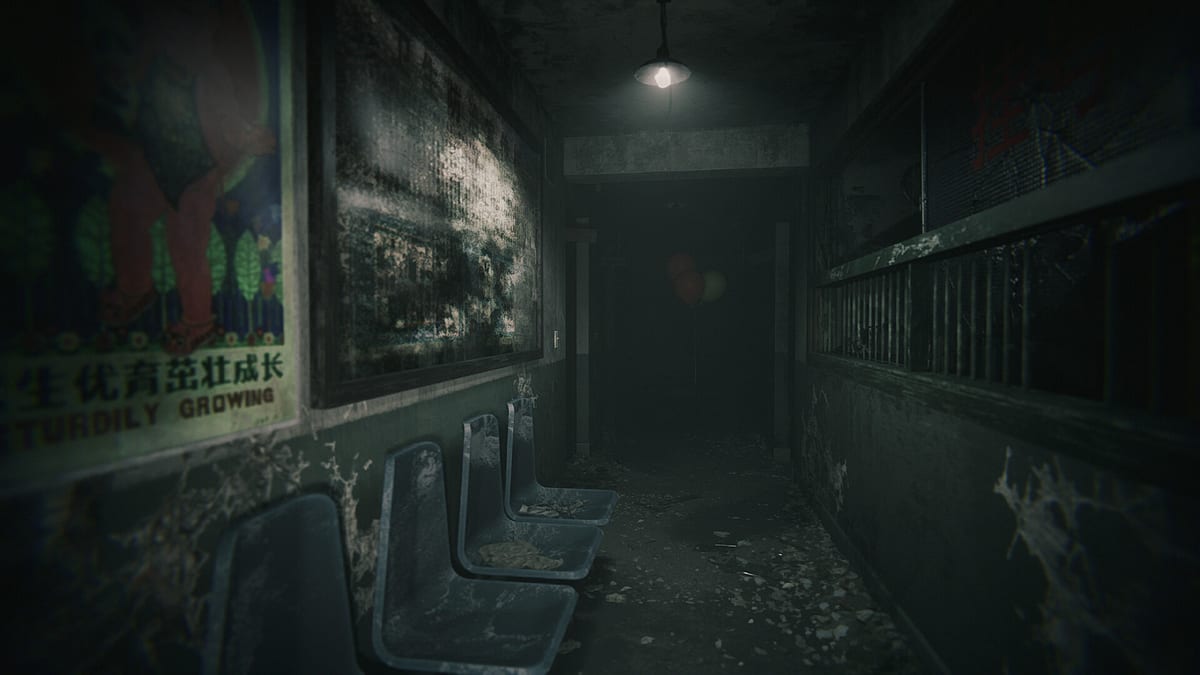
Hariti is a first-person psychological horror game from Ghostcase that launched on Steam August 11, 2026, targeting modest PC hardware rather than enthusiast rigs. Before you buy the full release or install the free demo linked from Links Hub, confirm your system meets published minimums so ward chases, lantern lighting, and jump-scare timing feel intentional instead of slideshow punishment. This page lists official requirements in plain language, explains what each spec affects in gameplay, and embeds an interactive checker below for quick comparison against your current machine.
Hariti has no multiplayer, no codes, and no separate console port listed at launch — PC via Steam is the primary platform. Single-player horror still benefits from stable frame times when the Woman in Red pursues you during Hide and Seek segments.
Official minimum requirements
According to the Steam store page for app 4018740, Hariti expects at minimum:
| Component | Minimum |
|---|---|
| OS | Windows 10 64-bit or newer |
| CPU | Intel Core i5 (equivalent generation acceptable) |
| Memory | 8 GB RAM |
| GPU | NVIDIA GeForce GTX 1060 or comparable |
| Storage | 5 GB available space |
| DirectX | Version 11 compatible stack typical for this class of UE-style horror |
Ghostcase does not market ray tracing or 4K texture packs; the game prioritizes atmosphere — fog, flicker, and audio — over brute-force geometry. Integrated graphics laptops may launch the title but struggle in dense corridor scenes unless settings are lowered aggressively.
What each requirement means in Hariti
Windows 10+ — modern audio APIs and fullscreen borderless behavior for alt-tabbing to wiki tools like the Progress Checklist during achievement hunts.
Core i5 — handles AI scripting for pursuers and door states; CPU spikes show up as input lag more than visual pop-in during sprints toward Cindy objectives.
8 GB RAM — sufficient for hospital streaming with moderate background apps; close browsers with dozens of tabs before long sessions.
GTX 1060 — 1080p low-to-medium expectations for stable horror framing; lantern cones and post-processing hurt most on weaker variants.
5 GB storage — full install footprint on SSD recommended even if minimum only lists space; HDD installs increase load times between checkpoint retries after failed chases.
Recommended setup for comfort
Minimum specs are not ideal specs. For smoother experience:
- Use headphones — achievements like Strange Noise and many Clues depend on directional audio.
- Prefer SSD — faster reloads when learning key routes from Keys and Tools.
- Disable motion blur if sensitive — reduces nausea during sprint segments.
- Update GPU drivers — Ghostcase patches noted on Launch Notes occasionally target specific vendor quirks.
Steam Deck users should consult community Proton reports and the demo before assuming Deck Verified status; deckfilter and player posts vary by Proton version.
Interactive specs checker
Use the embedded tool to compare your reported hardware against Hariti minimums. It offers guidance only — not a guarantee of frame rate. If results flag CPU or GPU below minimum, try the free demo via Demo vs Full Game before refund windows close on purchases.
Can I run Hariti?
Check each line that matches your PC.
Official minimum: Windows 7/10 listed historically, Intel Core i5, 8 GB RAM, GeForce GTX 1060, 5 GB storage. Prefer Windows 10+ for a smooth Steam experience.
Demo versus full game performance
The Steam demo covers an early hospital slice with fewer wards and shorter asset streaming paths. Full release adds chapters, entities, and inspectable density that can stress weak GPUs more than demo alone suggests. If demo runs well on medium settings, full game likely works at similar or one step lower settings; if demo stutters on low, upgrade hardware or expect frequent frame dips during folklore-heavy scenes described in Folklore.
Troubleshooting common issues
Stutter when turning lantern — lower shadow quality and close background apps.
Audio desync after alt-tab — restart level; verify Windows default output device.
Crash on launch — verify game files in Steam, update Visual C++ runtimes, confirm Windows is 64-bit.
Controller vs keyboard — Hariti is first-person PC horror; mouse sensitivity matters for hiding quick turns documented in Getting Started.
Report persistent bugs to Ghostcase at [email protected] with DXDiag attachments; fan wiki cannot patch executables.
Related wiki pages
Plan content completion with Progress Checklist, read critical performance notes in Review, and track post-launch optimization patches on Updates Hub. Return to Tools Hub for category overview or Items when hardware is fine but progression stalls on missing keys instead of FPS.
Frequently Asked Questions
Quick answers to the most common questions.
Can Hariti run on Windows 11?
Yes. Windows 11 exceeds the Windows 10 minimum. Ensure 64-bit install and current GPU drivers for best compatibility with Steam builds.
Is 8 GB RAM enough with Discord and a browser open?
Borderline. Hariti may launch, but close extra apps before chase-heavy chapters to avoid stutter that feels like input lag during Hide and Seek sequences.
Does Hariti support macOS or Linux natively?
Steam lists PC focus at launch. Linux users may attempt Proton with mixed results; treat demo as compatibility test before buying full game.